
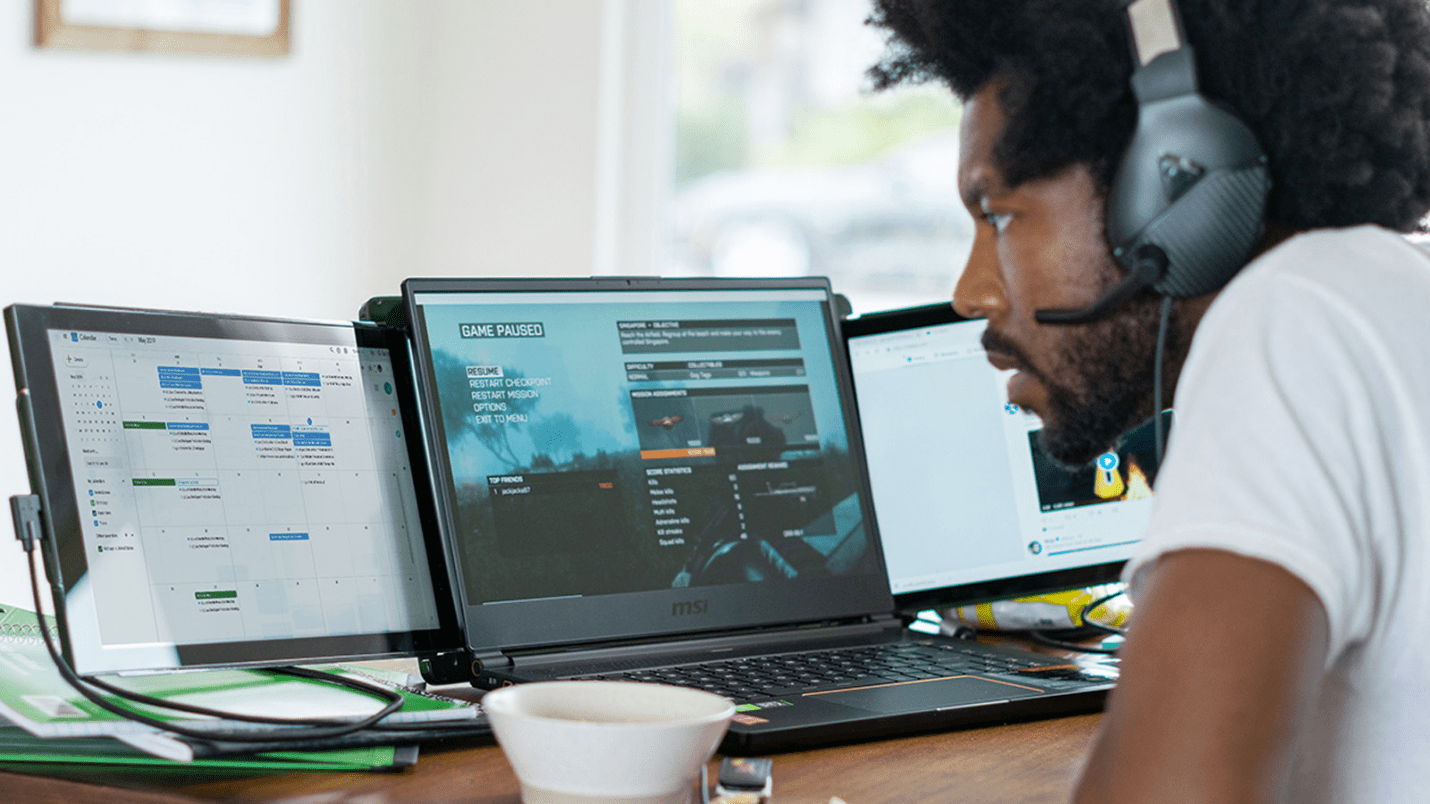
If your job requires a lot of 1:1 with the computer, you probably find a single screen limiting. There’s only so much working space for all your tools, tabs, and software. It is impossible to squeeze everything in, and constantly switching windows can limit productivity.
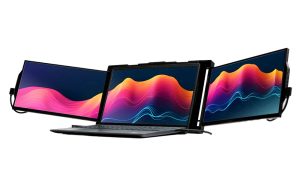
This is why the Mobile Pixels Trio laptop screen extender is such a hot topic. It increases your workspace by two full screens of 13.3” to 14.1” each, astronomically increasing your screen real estate, thereby setting you up for success.
How will a triple monitor setup help?
Do More In Less Time
There have been multiple studies on this subject, with John Peddie Research being the most notable. It speaks of the potential of multi-monitor setups in increasing users’ productivity by 50% or higher in certain scenarios.
As to how that works, it eliminates the need to scroll or jump between multiple tabs—everything you need is in front of you at all times.
As you’re not limited to one screen, you can easily multitask. You could chat with your coworkers, host streams, and keep track of stock market changes without disrupting your primary workflow. You have a separate screen for every activity. How cool is that?
Use with Different Gadgets
Most people know a triple monitor will supercharge their activities but cannot take the plunge because they don’t want to mess with their current setup.
If this is your concern, you’d be happy to know it easily integrates with macOS, Windows, Android smartphones, and even Nintendo Switch, as long as it has a USB-C or A port.
And, if your device doesn’t have any of these ports, you just need an adapter.
Keep in mind that your operating system may not recognize your second or third screens immediately, or it may arrange them in the wrong way. But don’t panic; with some manual changes, you can set it up as you like in minutes—just go to your display settings.
Provides Ergonomic Advantages
Laptop screens are small, and if you try to multitask, everything appears cramped and unnatural. This is because these devices were designed primarily for portability and mobility.
If you use a laptop as your main setup and work on it for eight hours daily, you may be susceptible to eye strain, fatigue, and back, neck, and shoulder pain.
Fortunately, you can ease these concerns with multi-monitors.
You can pivot the screens, forming a triangle for maximum productivity, and flip them 180° to the front to avoid uncomfortable and awkward postures. Raise your screen at eye level and avoid leaning forward to minimize neck flexion and back strain. The screens have blue light filters to make them easier on the eyes.
The result? The ideal body alignment that supports concentration and energy.
Delivers An Immersive Experience
With a screen resolution of 1920 x 1080 and IPS (in-plane switching) technology, you will enjoy excellent, clear image quality, consistent color and viewing angles, and no peak tailing.
You can even look at the screen from an angle with little to no distortion!
In addition to its improved color reproduction that’s fantastic for graphic design, this high-res setup with a 16:9 aspect ratio also has a refresh rate of 60 Hz that’ll work smoothly for single-player and multiplayer games.
And as you can use the spare screen to check out walkthroughs, reference sheets, mission-critical information, and other important tidbits without switching between screens, you’ll be able to unlock conveniences you didn’t even know existed.
Offers Portability
Not all setups are portable, which can be a real bummer if you live a remote lifestyle. With a triple monitor setup like this one, you can take work practically anywhere without worrying about it weighing you down, thanks to its all-new design that’s 20% thinner & 1 pound lighter than the previous gen.
Factor in an ABS and aluminum body that will protect the components as you move through different terrains, plus pass-through charging capabilities, and you can take it from place to place without worrying about any issues with accessibility.
Reduces Clutter
This sounds contradictory because adding screens to your setup will eat up the space on your workstation. But with the second-stage sliding mechanism on screen extenders, you can fully collapse them for a cleaner look when not in use.
Plus, as the screens connect with a single cable, you can reduce cable clutter and the frustration it can cause. This might change when you add accessories like keyboards and mouse, but you can tackle that with some nifty cable management.
Experience the Gift of Comfort and Convenience with Triple Monitors
Think it’s time to get yourself a second and a third screen?
Head to the Mobile Pixels website to invest in an innovative product that will take work and play to the next level.
